Getting Started with Manus 2.0
Manus 2.0 is aimed at the second half of creation — after the demo, when you need to swap the song, ship something friends can join, or keep work moving from your phone.
Manus shipped 2.0. The useful framing is not "more AI." It is what happens after the first result.
First drafts are cheap. Final cuts, live prototypes, overnight workflows, and agents that keep moving while you are away — that is where most teams stall. Manus 2.0 is aimed at that second half.
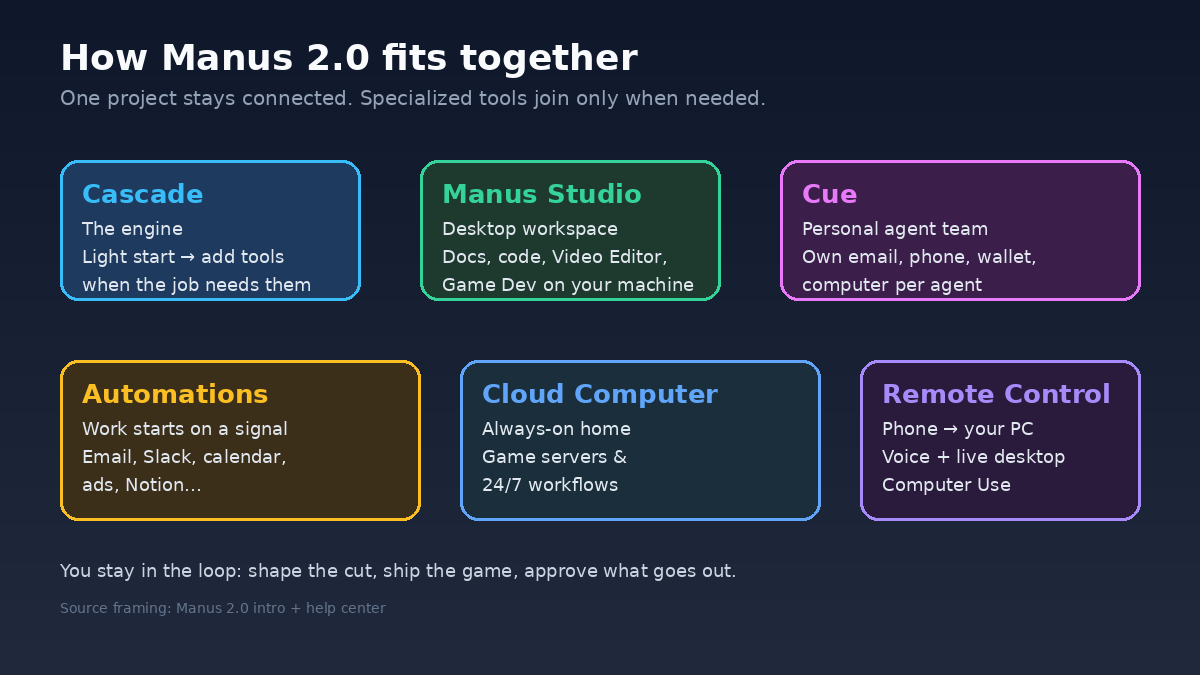
What you actually get
| Piece | Use it when… |
|---|---|
| Cascade | You want the new agent engine under the hood (faster / leaner runs on their published test config — treat as directional, not a guarantee) |
| Manus Studio | You have real files on disk and need a site, short video, or game you can finish by hand |
| Video Editor | The AI cut is close, but you must swap audio, trim, or drop in real footage |
| Game Dev | You want a playable prototype this session; multiplayer only after solo works |
| Cloud Computer | Something must stay up — game servers, long-running automations |
| Automations | Work should start on a signal (email, Slack, calendar, ads, Notion) |
| Remote Control | You need the desktop from your phone without opening a laptop |
| Cue | You want a separate personal-agent app (invite / early access), not Studio creation tools |
Three rules matter more than the feature list:
- Keep one connected project — brief, page, video, and automation stay together.
- Let AI do the first pass; you own the final cut.
- Only automate or remote-control what you would trust a junior to do overnight.
Start in Studio, not in a blank prompt
Most real work starts in a folder: phone footage, product shots, a half-finished site, notes you already have.
Open Manus Studio on desktop, point it at that folder, and pick one narrow job:
- a landing page,
- a 30–60s product clip, or
- a tiny single-player game.
Manus produces the first version. You shape it with direct controls. Hand it back for another AI pass only when talking is faster than clicking.
For video, that means the timeline first — not regenerate-everything. Warmer song, your own product shot, shorter intro: edit, then ask for another pass if needed. Alchemy is for when the cut is already close and quality matters.
For games: start from a playable template, change one thing, play again. Buy a Cloud Computer only after solo play feels right and you actually need multiplayer.
First week: six steps
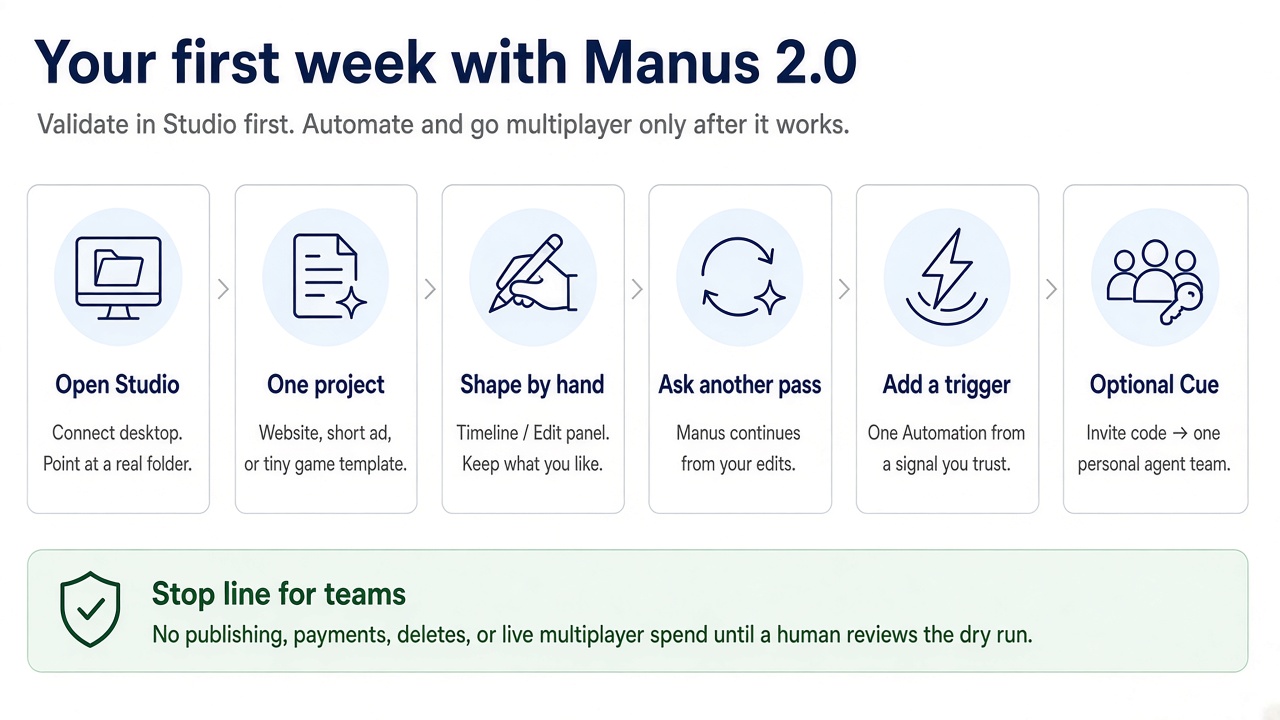
- Connect Studio to a real project folder.
- Ship one narrow artifact (page, short video, or tiny game).
- Make at least one hand edit on the timeline or Edit panel.
- Ask for a second AI pass on the same project.
- Add one Automation that drafts only — human before publish.
- Optional: try Cue with one small agent team if you have invite access.
Skip Cloud Computer, wide Remote Control permissions, and Cue wallets until that loop is boring.
What to avoid
- Treating Cascade's published efficiency numbers as a platform-wide SLA.
- Regenerating a whole video when a timeline edit would do.
- Buying always-on compute before a solo build works.
- Automating an unverified workflow end-to-end.
- Broad Computer Use / Remote Control on a shared machine.
- Cue agents with soft spend limits.
Bottom line
Use Manus 2.0 for the second half of creation: after the demo, when you need to swap the song, ship something friends can join, or keep work moving from your phone.
This week: one Studio project, one hand edit, one second AI pass. Automations, Cloud Computer, and Cue wait until that is routine.
References
Enjoyed this? Let's work together.
I help companies turn AI strategy into shipped, revenue-generating products.